A
Attack
Press A, then left-click a unit or the ground. Right-click puts the key down and gives no order.
 Zero Hour Reforged
TipShift on a build button queues five. Ctrl queues twenty. Both together queue a hundred.
Field manual
The keys a match starts with. Letters are the QWERTY positions painted on the command bar.
The left of the command bar is eighteen keys, six across and three down. A button in a cell is what that letter presses. An empty cell other than the gold ones does nothing. When the selection can attack-move, A, C and V stay reserved for attack, hold position and move.
Q, W, E, R, T, Y, F and G press the button in that cell. A attacks, S stops, D attack-moves, X guards, C holds position and V moves. Z ejects, B sets the rally point, N sells, and on the GLA worker H switches between the real structures and the fakes. Anywhere else H presses the button in that cell. Shift still presses the cell, so a build button queues a batch. Empty cells fill from the top left, Q, A, W, Z, S, E, X, D, R, C, F, T, V, G, Y, B, H, N, and a cell that already holds its order is skipped. Buildings come first, then abilities and upgrades. Gold letters keep that order when the cell is empty.
Press A, then left-click a unit or the ground. Right-click puts the key down and gives no order.
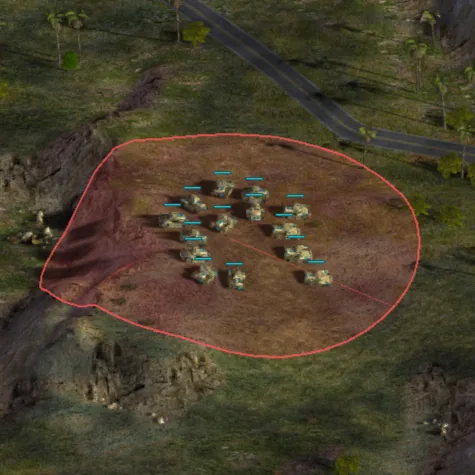
Hold A, press on the ground and drag. The ring is the area, and the guns that can shoot share the enemies inside it. A click with no drag is an ordinary attack. Shift adds that unit's shots to the queue. Undetected units, and anything under the fog, stay out.
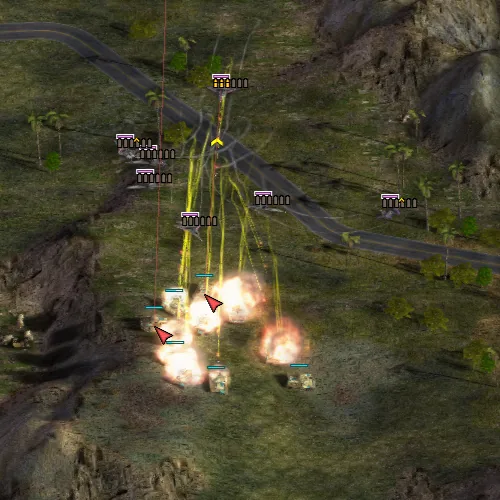
Stops the selection. One of your own buildings still going up is cancelled and the money comes back.
Press D, then left-click. The group moves there and shoots what it meets on the way.
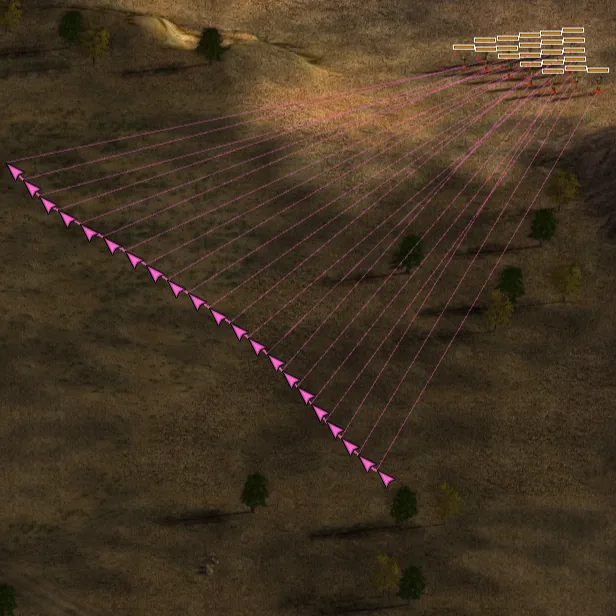
The drag spreads the group along the curve. Each unit attack-moves to its own station.
Press X, then left-click. The whole group posts on that spot.
Each unit holds its station on the line and shoots from there.
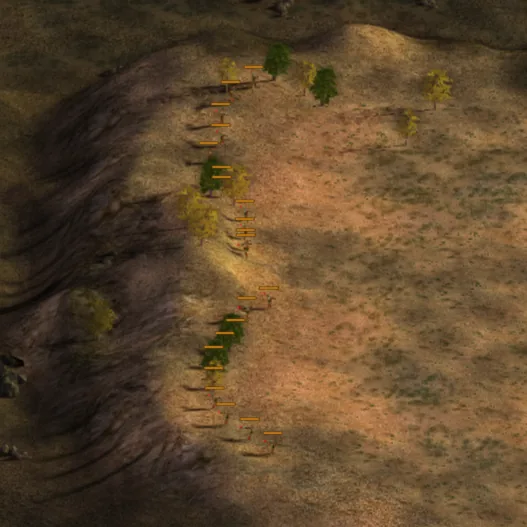
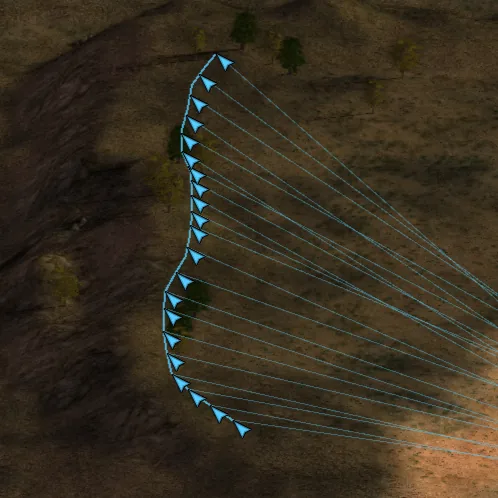
Takes effect at once, with no click. Each unit guards the ground it is already on.
Press V, then left-click. The group moves there. A button standing on V is what the key presses.
The drag lays the group along the line. Each unit moves to its own station.
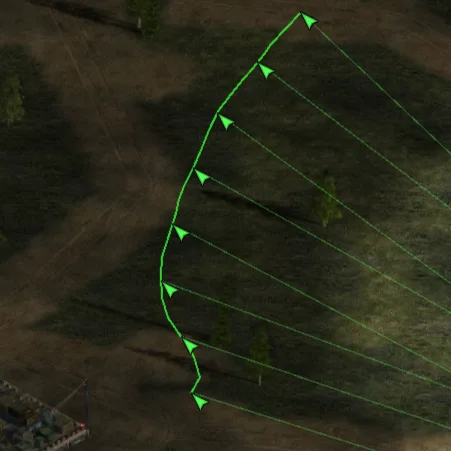
When the selection has it. Passengers leave a transport, and a garrison leaves a building.
On a building, this is where finished units walk out. On the demolition worker it is the suicide charge.
Sells a building. On a dozer or a worker it clears mines.
On the GLA worker, this switches between the real structures and the fakes. Otherwise H presses the button in that cell.
With a structure chosen on a worker or a dozer.
Drag with the left button and the ghost turns to face along the drag. That heading carries to the next structure.
Before the aim drag starts, each notch of the wheel turns the ghost by an eighth of a turn. The camera stays where it is.
Places one structure and leaves the ghost up, so the next click places another.
Ordinary buildings go down in a row along the drag. While the row is anchored, the wheel opens or closes the gap by one grid square a notch, from flush up to 20 squares, and the camera stays put. The row stops when the money runs out, and a square of rock is skipped. Releasing the drag ends placement even while Shift is still held.
Drops the ghost.
On a build button, and on the queue beside it.
One click on a build button queues five.
One click queues twenty.
One click asks for a hundred. The batch stops when the money runs out or the queue is full.
Right-click on the queue pulls units back out. Shift, Ctrl, and the two together take five, twenty and a hundred.
Click a factory on the strip over the battlefield and the camera goes to it. Right-click or Ctrl-click on a queued item cancels that one.
A box or a double-click takes what is on screen. The category keys do the same, and a second press takes the rest of the map once the screen has nothing new left to add.
Workers inside a mixed box are left where they are. A box of only workers takes them.
Takes combat units. Structures stay unselected, and an empty box selects nothing.
A left drag with Ctrl pulls units out of the selection.
Double-click a unit and every one of that type on screen joins it. A structure ignores the double-click. Alt and a double-click takes that type across the map. Shift and a double-click keeps what you already had selected.
Shift-click adds a unit to the selection. Shift on an order click appends that order, and each queued point keeps its own marker.
Your infantry on screen.
Your ground vehicles on screen. Aircraft, dozers, harvesters and buildings stay unselected.
Your aircraft on screen.
Your units on screen, leaving out dozers, harvesters, structures, and anything that ignores select-all.
Every selected type, on screen. Press it again within half a second and it takes them across the whole map.
Your barracks and other infantry buildings, on screen.
Your war factories, on screen.
Your airfields and helipads, on screen.
The next dozer or worker with nothing to do. The camera goes to it.
Your hero. The camera goes to it.
Ctrl with left or right steps through your units on screen.
Ctrl with up or down steps through your workers.
With two or more units selected, Tab and Shift+Tab cycle their portraits. Otherwise hold Tab and the scoreboard stays open until you release it.
Ten groups, numbered 0 to 9.
Selects the group. Press the number again quickly and the camera moves to it, leaving the selection as it is.
The current selection becomes that group.
Adds the selection to the group. A selected building is dropped first. A quick second press moves the camera there and adds nothing.
Moves the camera to the group and leaves the selection alone.
While the promotion screen is open, 1 through 5 buy that column, and the groups wait.
The view, the saved spots, and the power bar.
The arrow keys scroll the view.
The view scrolls when the cursor meets the edge of the screen. In a window that waits on its option. The edge stays still while the spectator camera is driving.
A right drag pans the camera.
A middle drag rotates the heading. With the option on, it snaps to eighths of a turn.
A middle click restores the angle, the pitch and the zoom.
The wheel zooms, toward the cursor when that option is on. While Ctrl is turning a ghost, or a building row is anchored, the wheel changes that instead.
Hold numpad 4 or 6 to rotate.
Hold numpad 8 or 2 to zoom.
Numpad 5 restores the camera.
Space jumps to the last event the radar reported.
Ctrl and F1 through F8 save the camera. Eight slots.
Shift and F1 through F8 return to a saved camera.
F1 through F8 press the general's power bar, top right, in order. The last three powers have no key.
Chat, signals, and the things that exist with other players.
Opens chat with your allies. A dead player, or someone watching, talks to everyone. This is multiplayer. Enter inside the box sends the line.
Opens chat with everyone in the match.
Smoke in your colour and crossed swords, for ten seconds, where the cursor is or on the radar spot under it. Allies and observers see it. Network games, one signal a second.
Smoke and a shield, for ten seconds, on the same rules.
Smoke and an eye, for ten seconds, on the same rules.
Places a beacon, up to the cap. Delete removes it. Multiplayer.
Takes your beacon off the map.
The selection cheers. Multiplayer.
The selection scatters.
Locks the offsets the group has now, or clears them when they are already locked. The lines you drag with D, X and V are separate.
The screens around the fighting.
Opens and closes the general's promotion screen. On a German keyboard that same key is #.
Pauses a single-player game or a replay.
Hides and shows the command bar.
Drops the promotion screen, an unspent power, a placement or an armed command, whichever is up. With none of those up, it opens the quit menu.
Saves a screenshot, in a match and in the menus.
The key above Tab opens the console, and while it is open the keys you type go there. Cheats answer in a campaign and in a skirmish you are playing.
While you are watching, these switch the stat list: net worth, cash, income, army value, kills, rank, power.